Task integrations, multi window, timezones, exporting and new plan
Routine 1.1 is here, packed with new features and improvements.
Let’s dive right in.
💰 New plan
We listened to you and introduced a new Personal plan at $5/month that includes time blocking & boxing, exporting, unlimited file uploads and more.
Check it out at https://routine.co/pricing.
☑️ Task integrations
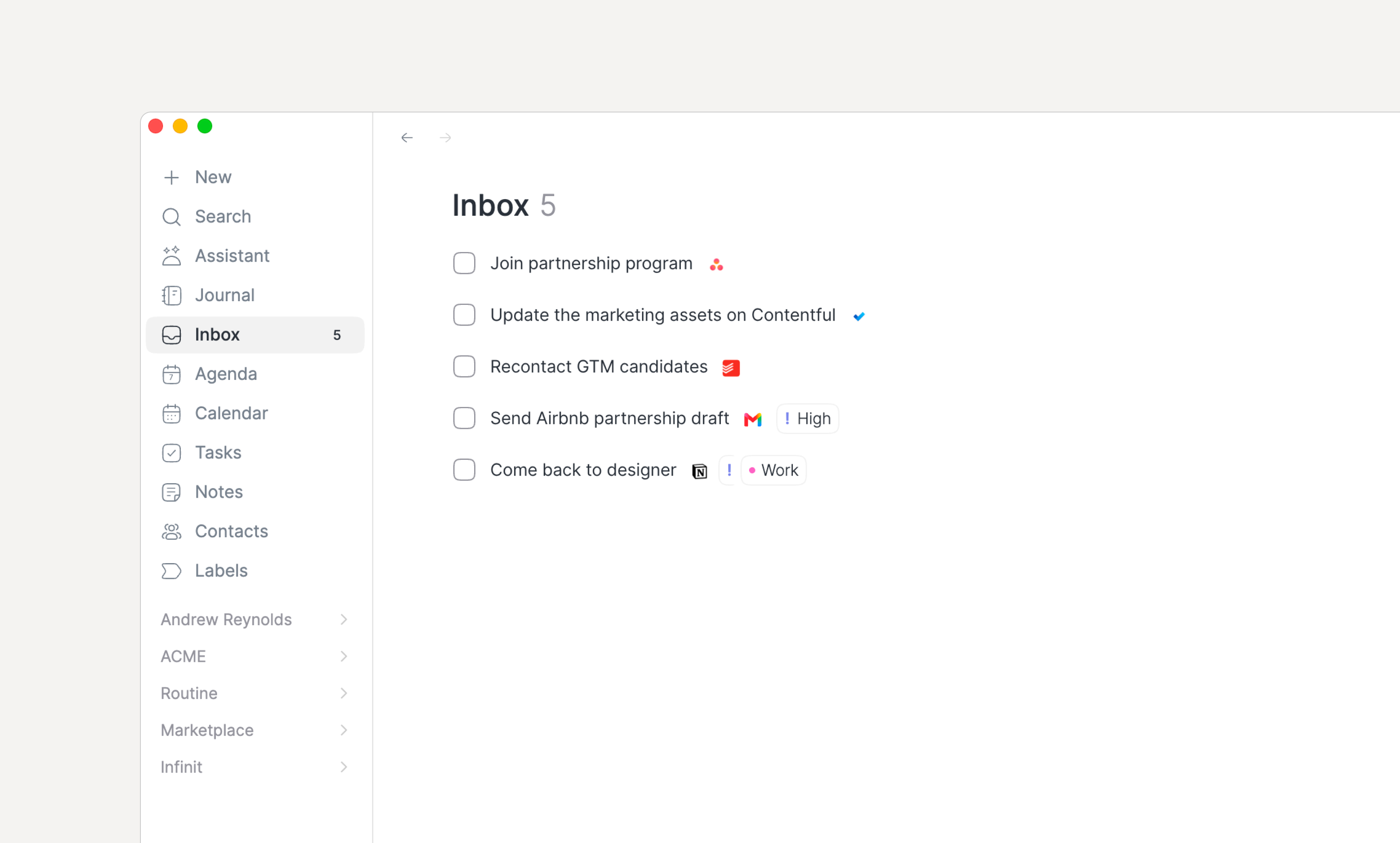
You can now bring your tasks from Gmail, Todoist, Asana and Microsoft To Do.
Bring all your emails, tasks, and more into a single place: your Routine Universal Inbox.
🖥️ Multi window support
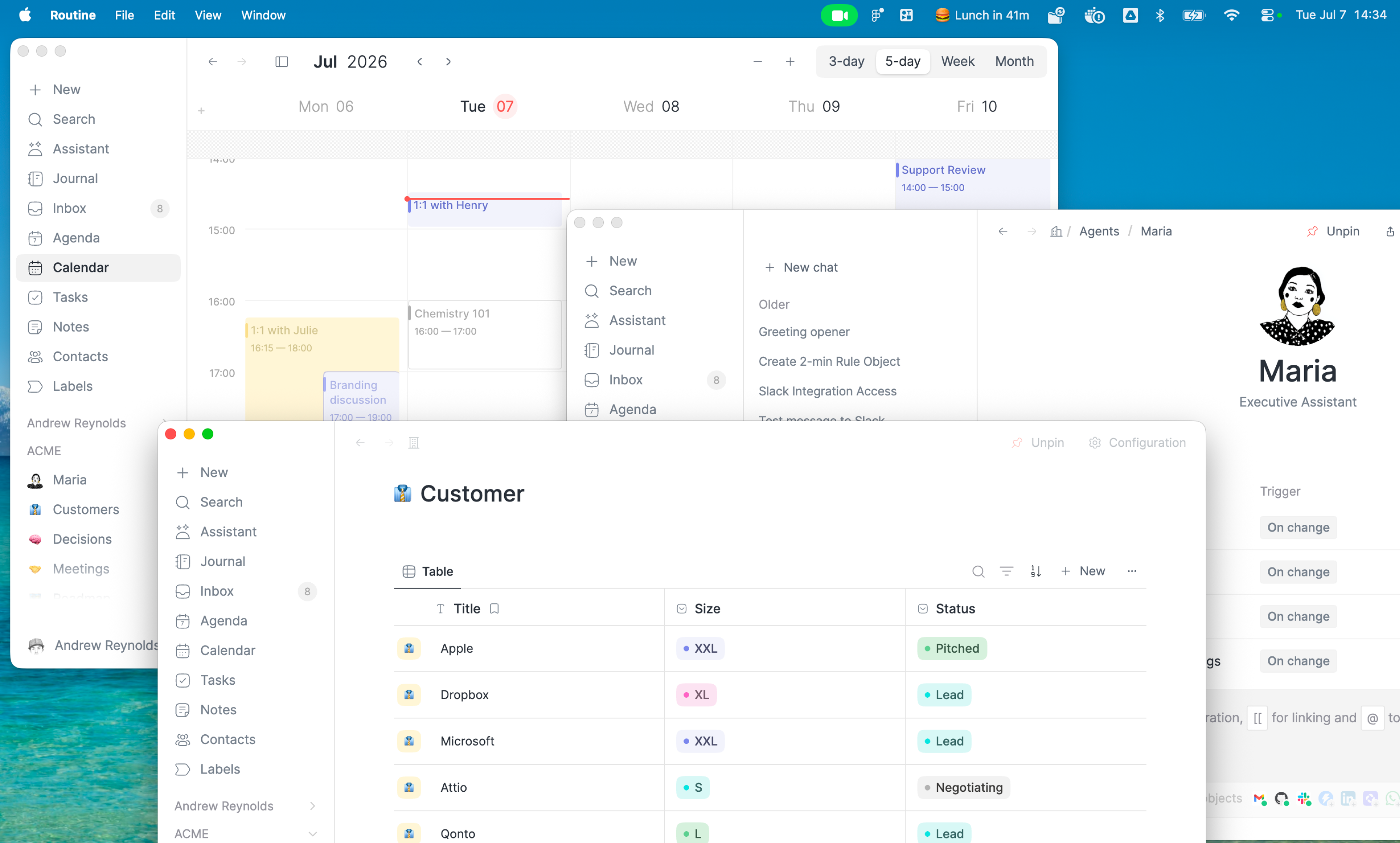
Because you can do so much inside Routine — from managing your tasks, scheduling meetings, maintaining your team knowledge base, tracking projects and more —, it can sometimes feel like you need to navigate a lot to switch context.
Routine now support multiple windows, allowing you to open as many windows and contexts as you want.
You can either open new windows by clicking the main Routine menu in your operating system bar (at the top on macOS) or pressing CMD/CTRL+SHIFT+N. Even more, you can press OPT/ALT when performing an action in Routine to open it in a new window e.g OPT/ALT while double clicking a task will open it in a new window.
Note that we will soon introduce tabs to further split context inside a single window.
💾 Exporting
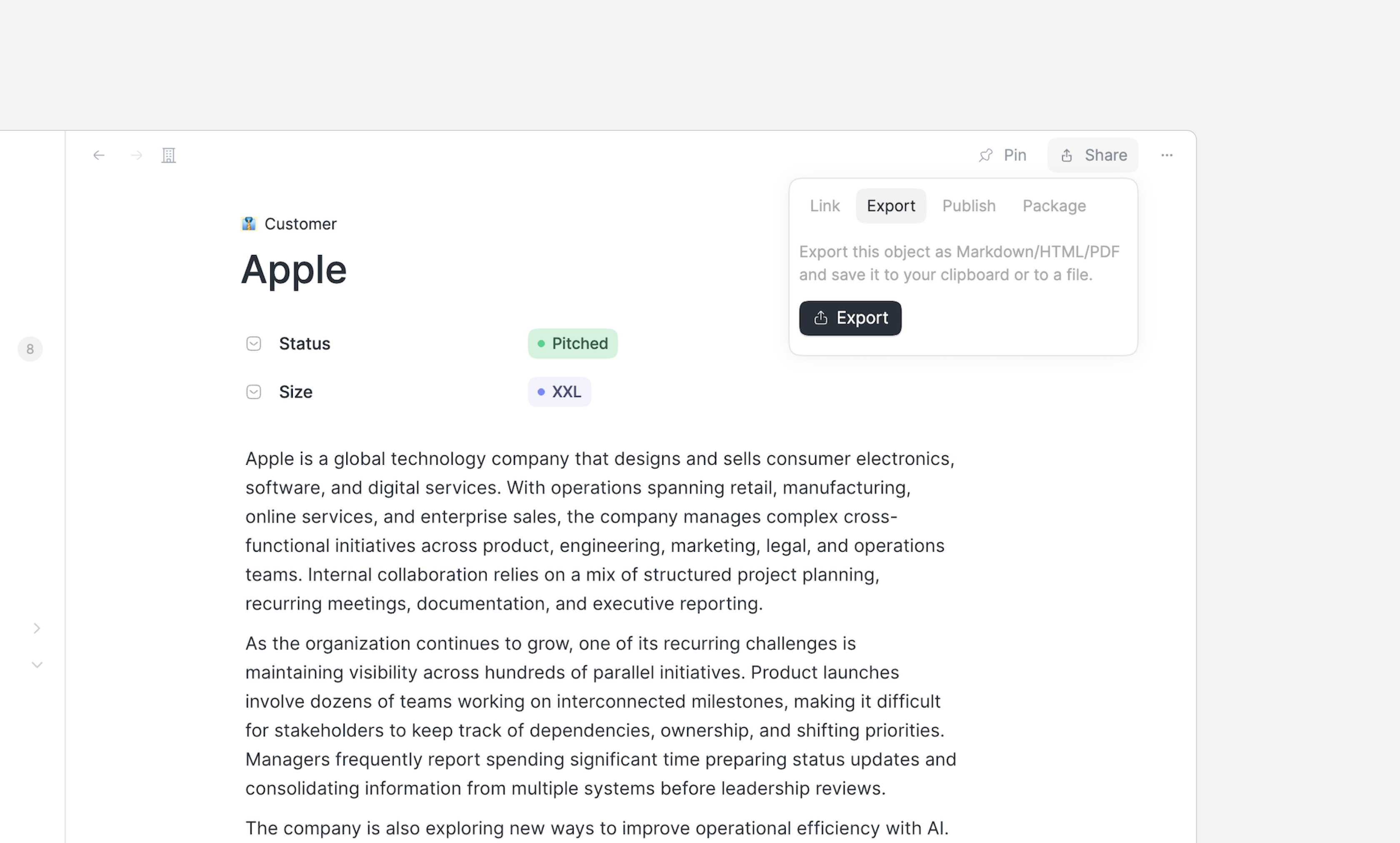
You can now export your information as PDF, HTML, or Markdown, making it extremely easy to share information with people external to your Routine environment.
🕰️ Time zones
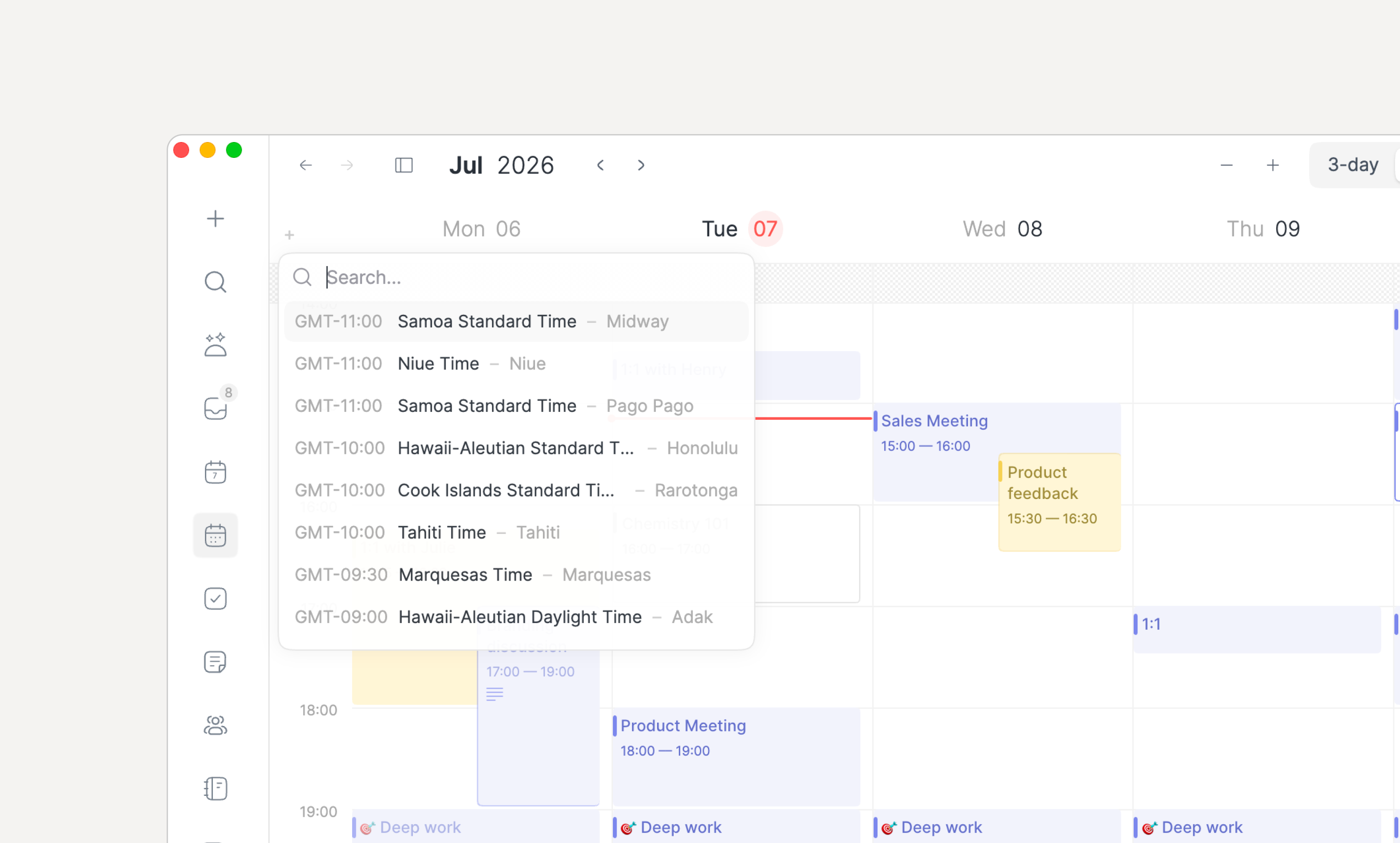
Working with teammates across time zones is now much easier. Just add as many timezones as you want to your calendar. Great to easily and quickly schedule meetings.
🤝 Meeting recording
In addition to making meeting recording more reliable across a variety of operating systems, a few new features are making meeting recording easier to do and harder to forget.
First, a new dedicated Settings screen has been introduced:
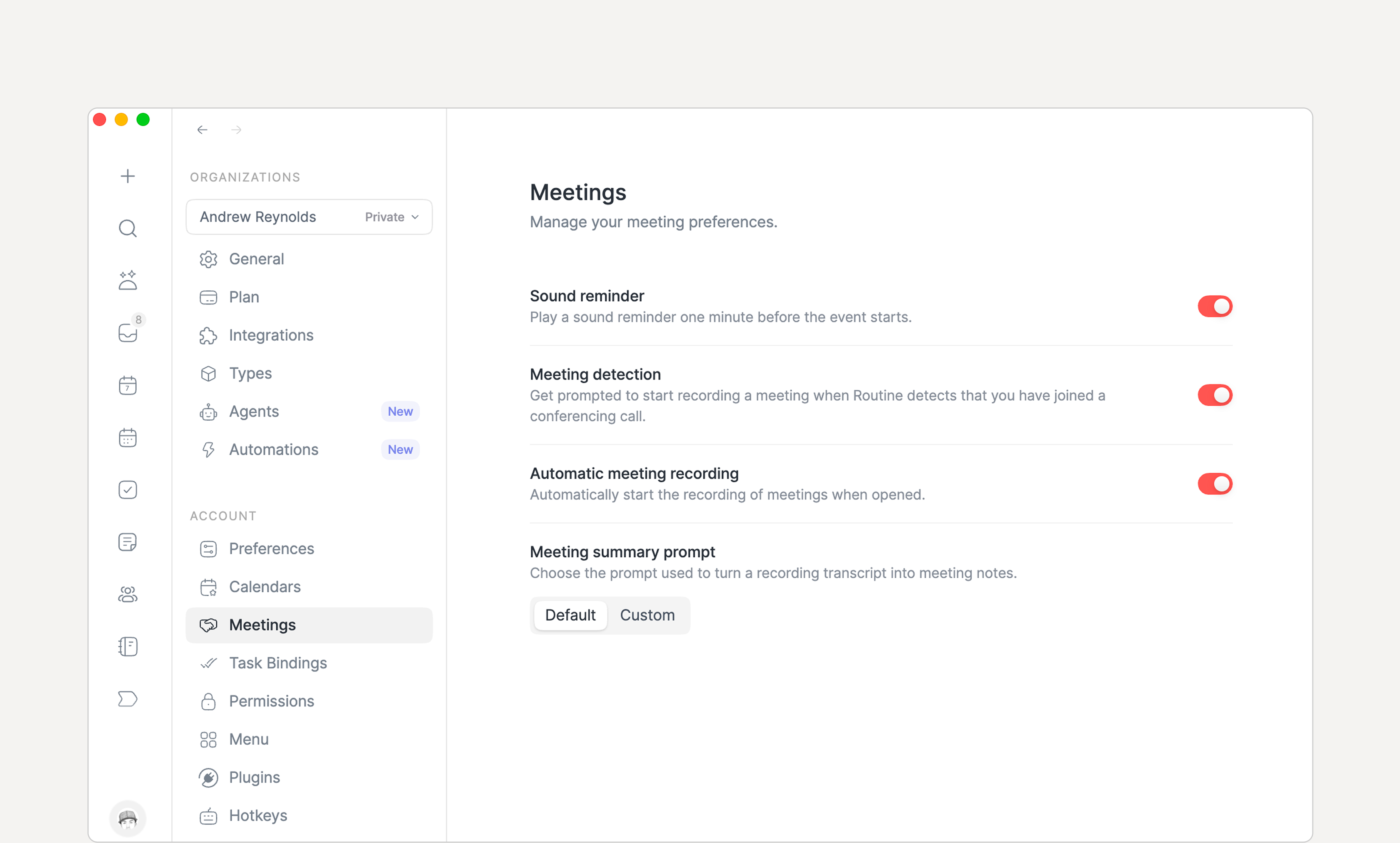
From there, you can now define exactly the prompt that is used. As a result, you could tell Routine to save the transcript itself instead of summarizing, or summarizing them in a way that best fits your workflow.
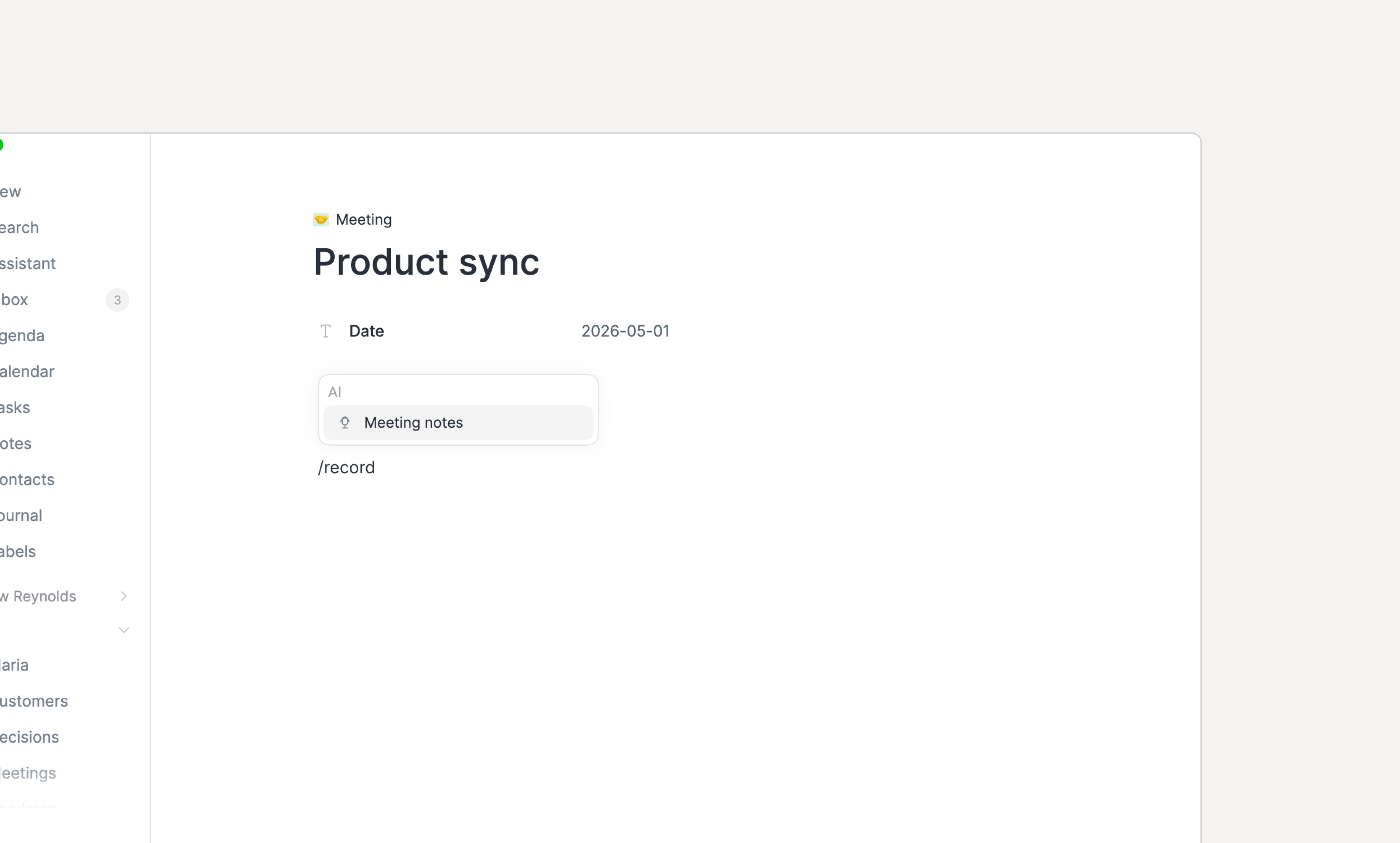
We also added a /meet command to allow taking notes anywhere. This is particularly useful for taking meeting notes in your team, either in pages, or in a database of meeting notes for example.
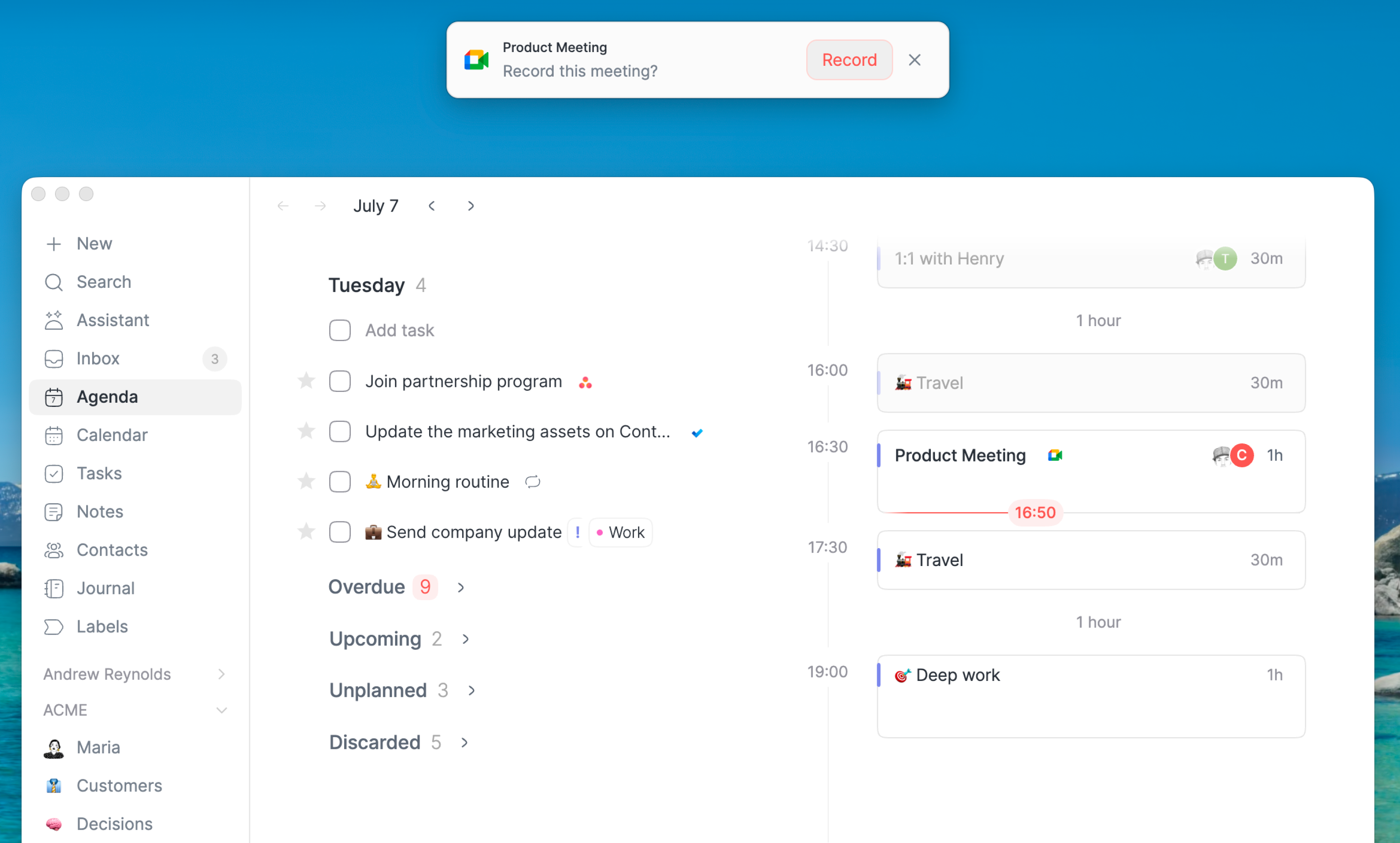
Finally, because Routine does not involve a bot joining your meetings automatically, it is easy to forget to launch recording.
Luckily, Routine now detects you joining a meeting (Google Meet, Slack Huddle, Zoom, Microsoft Teams and more) and offers you to record it.
🧩 Integrations
The following new integrations are now available:
Apollo
Asana
Attio
ClickUp
Gitlab
Jira
Linear
Pipedrive
Trello
WhatsApp
💽 Databases
Databases have been improved:
Creating an object from a filtered view applies the filters to the new object
Text properties can now span multiple lines
You can now filter by is empty/is not empty
Databases can be pinned to the menu
🗒️ Notes
The note editor has also been improved:
If you type
[[to create a reference, you will be invited to create a new object of any type in your systemWe have made it easier to drop a file in the notes, even if those are empty
You can now press
SHIFT+ENTERin any text block to insert a new lineDatabases can now be referenced e.g try
[[Label
👥 Team
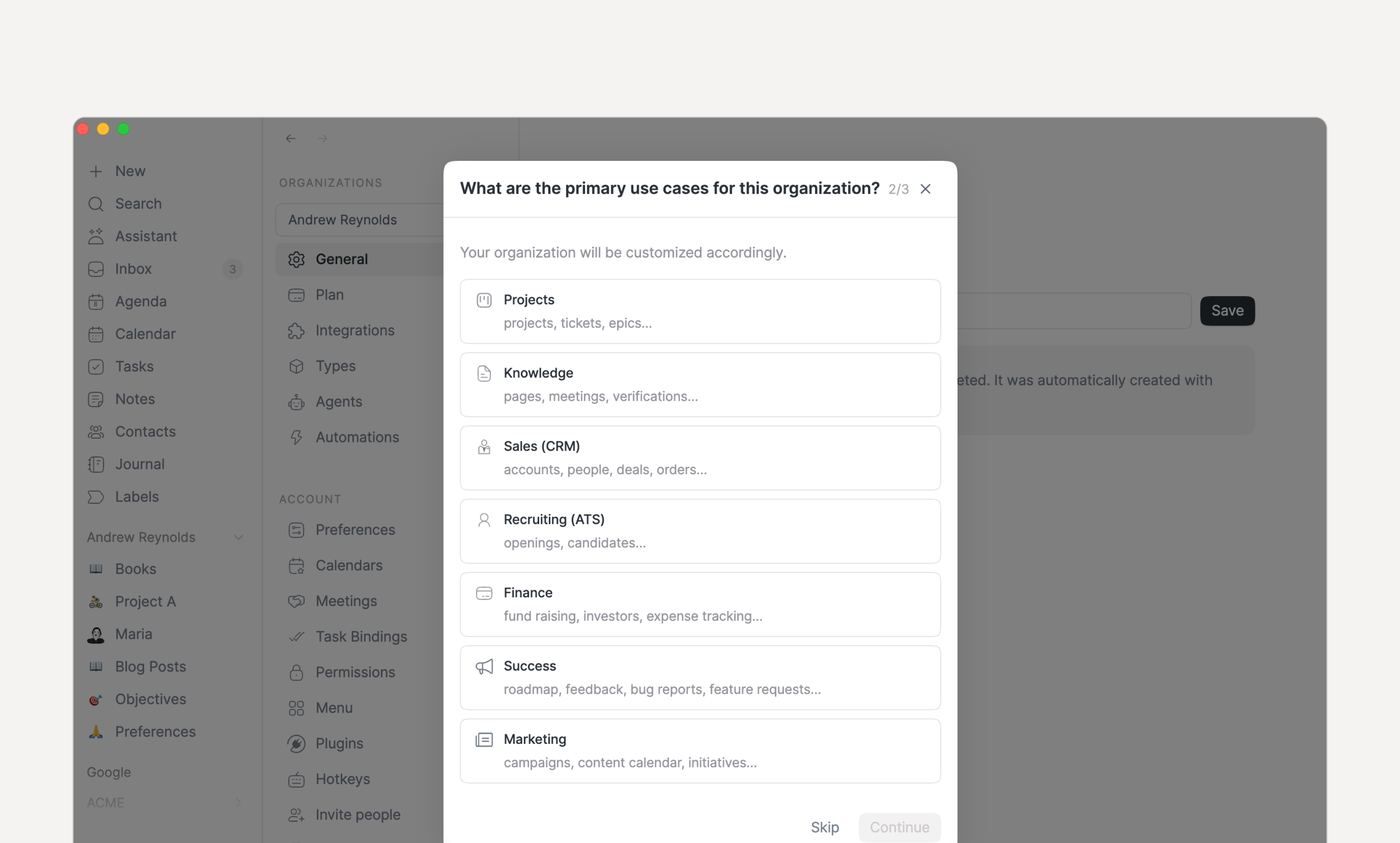
Setting up an organization has been made easier through a brand new wizard. In addition, a new Workspace screen has been introduced which lists all the objects in your workspace.
🐞 Other
Many bugs have been fixed, among them:
Fixed search in views
Fixed setting multi-select values in creation modal
Fixed type icon setting in Web
Fixed hiding menu bar widget when disabled
Fixed left-pane calendar hiding when deselecting an event (re-hide it)
Strengthened audio recording to better handle disconnections
Improved support for pasting formatted text into Routine
Improved dashboard loading performance
Fixed 3-day calendar layout
Fixed filtering by label
Prevent wrong working hours
Fixed two clicks on Exit on Windows to quit
👉 Coming Next
Here's what we're working on next:
Tasks in workspaces to make collaboration easier
AI (assistant, voice commands, agents, automations and human in the loop) i.e already in beta…