Inbox
Written By Manos Mastorakis
Last updated About 2 months ago
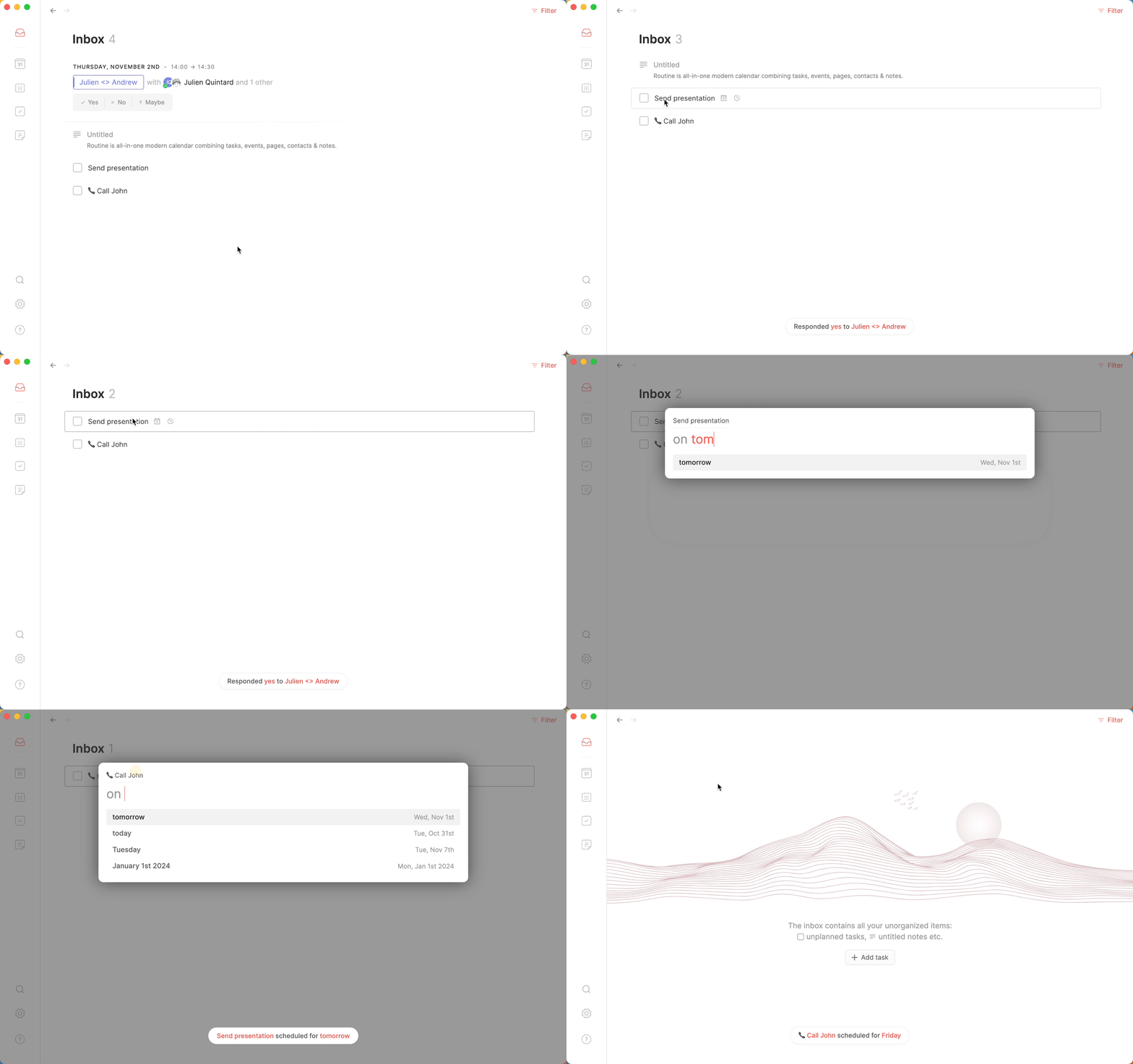
Now that you know how to capture everything through the powerful Console, it's time to learn what to do with all that information. In the same way that professionals process their email inboxes to handle new incoming messages, the most efficient people capture whatever is on their mind and process it at the right time — not immediately, and not never.
The key insight is that deciding when processing happens is what keeps you in control. Some people go through their inbox a few times a day. Others, like Tim Ferriss, author of The 4-Hour Work Week, famously checked their email inbox just once a week. The same principle applies to your task inbox in Routine. Decide on a frequency and stick to it 💪.
⁉️ Why the Inbox matters
Without a reliable capture and processing system, tasks and ideas either stay on your mind (draining focus) or get lost entirely. The Inbox solves this by:
Giving every captured thought a safe, temporary home
Letting you defer the decision of what to do with something until you're ready
Keeping your agenda and calendar clean and intentional
Ensuring nothing falls through the cracks
Everything you create through the Console, voice capture, or integrations lands in your Inbox by default.
🎯 How to process your Inbox — Inbox Zero
When it's time to process, follow the well-known Inbox Zero methodology. For every item in your Inbox, apply the 2-minute rule:
🧽 No longer relevant? Discard it (
CMD/CTRL+SHIFT+I)✅ Takes less than 2 minutes? Do it right away and mark it as done (
CMD/CTRL+EorCMD/CTRL+.)📅 Know when it needs to happen? Schedule it for a specific day (
CMD/CTRL+L)⏰ Not sure when? Postpone it to a later date to reconsider (
CMD/CTRL+P)🌀 Part of a larger objective? Link it to a project while processing
👥 Belongs to a teammate? Assign it directly from the Inbox (
CMD/CTRL+SHIFT+A)🏷️ Needs context? Apply a label or priority before moving on
🔄 Repeat until you reach Inbox Zero
We recommend using keyboard shortcuts throughout this process to build speed and muscle memory. See Keyboard Shortcuts for the full reference.
💡 Tips for a healthy Inbox
Don't use the Inbox as a to-do list — it's a capture buffer, not a planning tool. Items should move out of the Inbox during processing.
Process, don't do — the goal of an Inbox session is to make a decision about each item, not necessarily to complete tasks right then.
Set a processing cadence — whether once a day or once a week, consistency matters more than frequency.
Use integrations — connect Gmail, Slack, Notion, and other tools to surface tasks from external sources directly into your Inbox.
Trust the system — the more reliably you process your Inbox, the more freely you can capture without worry.
Was this helpful?
Still need help? Ask the team